RS-485 / Modbus Servo Motors
RS-485 / Modbus servo motors are closed-loop actuators that talk over a two-wire differential RS-485 bus using Modbus RTU. Because nearly every PLC, HMI and SCADA package already speaks Modbus, these servos drop into existing industrial controls without a gateway, and up to 247 addresses can share a cable run of 1,200 m.
Typical RS-485 servo applications
- Packaging, labelling and filling machines
- Solar trackers, dampers and valve actuation
- AGV steering, sorters and conveyors
- Retrofitting legacy PLC lines that cannot add a CAN card
Typical RS-485 / Modbus specifications
| Physical layer | RS-485 half-duplex, 2-wire A/B plus GND |
| Protocol | Modbus RTU with published register map, optional ASCII |
| Baud rate | 9,600 – 115,200 bps (up to 1 Mbps on some models) |
| Addresses | 1–247; 32 unit loads per segment |
| Cable length | Up to 1,200 m with twisted pair and 120 Ω termination |
| Torque range | 5–400 kg·cm (0.5–39 N·m) |
| Supply voltage | 12–48 V DC |
The register map matters more than the torque curve
Most integration failures come from a missing scaling convention — is position 0.1° or 1° per count? — or from a status register that cannot be polled fast enough for the machine cycle. Confirm the servo supports the Modbus function codes your master uses (03/04 to read, 06/16 to write), and whether the feedback is absolute or incremental.
FAQ
Will Modbus servos run on a Siemens, Delta or Omron PLC?
Yes. Any master with a Modbus RTU port can drive them; you need the register map plus the correct baud and parity settings. No vendor library is required.
RS-485 or CAN for a multi-axis machine?
RS-485 suits PLC-centric plants and long cable runs. CAN is better when you need multi-master arbitration, higher axis counts, or tight synchronisation between axes.
How many servos fit on one RS-485 segment?
32 unit loads is the classic limit; with 1/8-load transceivers you can reach 247 addresses on one bus. Split the segment once cable length passes a few hundred metres.
Showing 1–12 of 25 results
-
130+ kg·cm Servo Motors
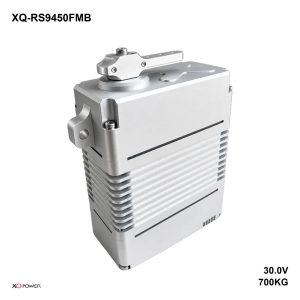
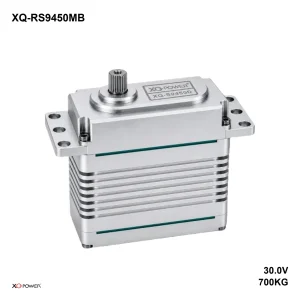
Side-Mount Brushless Servo RS9450FMB 700kg (68.6 N·m) 30V 895g Modbus
Read more -
130–400 kg·cm Servo Motors
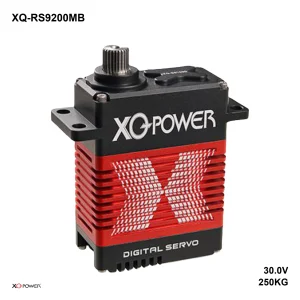
Industrial Brushless Servo RS9200MB 250kg (24.5 N·m) 30V 405g Modbus
Read more