
Yes—communication timeout protection can be an important configuration topic for digital servos, especially models controlled through RS485, CAN, or another serial protocol. For XQ-POWER servos, the general behavior described by the engineering team is that the servo holds its last position when the control signal is interrupted while power remains available.
That does not mean every XQ-POWER model supports every possible timeout action. If an application needs the servo to move to a different preset position, release torque, stop output, or set a specific fault state, the exact model and protocol must be confirmed with the engineering team. According to the supplied engineering information, the XQ-S9100D uses XQ’s proprietary RS485 protocol and can support different communication-timeout states, subject to model-specific technical confirmation.
What does communication timeout protection mean?
Communication timeout protection defines what a servo should do when its power supply is normal but valid control communication is no longer received within the configured monitoring condition.
Depending on the motion system’s safety strategy, an engineer may consider actions such as:
- Holding the last commanded position
- Stopping a command update while maintaining the current position
- Moving to a defined position
- Releasing or reducing motor torque
- Raising an alarm or setting an error state
These are system-level safety choices, not universal features that can be assumed from the words “digital servo,” “RS485 servo,” or “CAN servo.” The available action, trigger condition, and configuration method depend on the exact servo electronics, firmware, protocol, controller, load, and mechanical risk.
What happens to an XQ-POWER servo when the signal is interrupted?
Based on the engineering explanation supplied for this article, the normal XQ-POWER behavior is to hold the position from the last valid command when communication is interrupted and the servo remains powered.
This behavior may be appropriate for a mechanism that must avoid an immediate uncontrolled movement. However, holding position is not automatically the correct response for every application. A UAV control surface, robotic arm, AGV steering actuator, or industrial valve may require a different response depending on the mechanical load, stored energy, human-access risk, and system-level emergency strategy.
The actual test should therefore confirm:
- How the selected model detects a missing or invalid command.
- Whether the detection applies to PWM, RS485, CAN, or another interface.
- What output behavior occurs after the timeout condition.
- Whether the behavior can be configured by the customer.
- Whether the behavior persists until communication returns, power is removed, or a reset is performed.
- Whether the controller receives an alarm or error indication.
Only the model-specific protocol documentation and engineering confirmation can establish these details.
Why digital interfaces make timeout settings especially important
PWM, RS485, and CAN do not represent the same control architecture. A PWM servo generally receives a command signal, while a digital bus servo may exchange commands, status information, or configuration data with a controller. The meaning of “signal lost” must therefore be defined for the selected interface.
For a bus-controlled servo, a system designer may need to distinguish between:
- No valid frame received
- A corrupted frame
- A controller that stops transmitting
- A disconnected bus
- A communication address or configuration error
- A powered servo that no longer receives the expected update cycle
The controller and servo should be tested together. Do not assume that a bus cable fault, a controller software stop, and a power interruption produce the same response.
The XQ-POWER Technical Guide covers communication protocols and servo integration topics. It should be used together with the exact product documentation rather than as a replacement for model-specific protocol instructions.
What is confirmed and what needs engineering confirmation?
The following table keeps the available information separate from assumptions that should not be made before integration:
| Topic | Current evidence | Engineering status |
|---|---|---|
| General response to signal interruption while powered | Supplied engineering note states that XQ-POWER servos normally hold the last position | Confirmed as the stated general behavior; verify on the selected model |
| Different timeout actions for every model | Not established by the supplied note or the accessible product pages | Must be confirmed model by model |
| Moving to a preset position after timeout | Mentioned as a possible customer requirement, not a universal XQ-POWER capability | Requires engineering and protocol confirmation |
| Releasing torque after timeout | Mentioned as a possible customer requirement, not a universal XQ-POWER capability | Requires engineering and protocol confirmation |
| Alarm or error-state behavior | Depends on protocol and model implementation | Requires model-specific documentation and testing |
| XQ-S9100D timeout support | Supplied engineering note states that the model uses XQ’s proprietary RS485 protocol and can support different timeout communication states | Confirm the available states, commands, limits, and firmware before specification |
This distinction is important for procurement and safety reviews. A buyer should request the exact timeout behavior in writing for the model and protocol variant being evaluated.
What is special about the XQ-S9100D communication question?
The supplied engineering information identifies the XQ-S9100D as using XQ’s proprietary RS485 protocol and states that it can support different communication-timeout states. This makes it a suitable model for a focused engineering discussion when an application needs more than a simple last-position hold.
However, the accessible XQ-POWER website pages reviewed for this article do not provide a public XQ-S9100D product detail page or a public timeout-command table. The product category lists an S9100D industrial actuator, but the model-specific timeout states, timing range, command format, firmware requirements, and recovery behavior should not be inferred from that category listing.
Before selecting the XQ-S9100D for a UAV, robot, robotic arm, AGV, or valve system, ask the engineering team to confirm:
- The supported timeout states for the exact S9100D variant
- How the proprietary RS485 protocol defines a timeout
- Whether the timeout condition is configured in the servo, controller, or both
- The available response actions and their boundaries
- The recovery behavior when communication resumes
- Whether an alarm, status bit, or error state is available
- The test conditions required for acceptance
For a product-specific discussion, use the XQ-POWER contact page.
How RS485 product pages should be interpreted during integration
The RS8125D RS485 brushless servo is an example of an XQ-POWER product page that identifies RS485 command-bus control. The page lists the model’s torque, voltage, speed, and product construction data. Those published specifications help define the actuator selection, but they do not by themselves confirm a particular communication-timeout action.
The RS460 Modbus RS485 smart robot servo is another example of a digital servo page. It identifies Modbus RS485 communication, position control, multiple operating modes, and feedback fields including position, temperature, speed, voltage, and current. These functions may be useful when designing a monitored motion node, but the timeout response still needs to be confirmed for the exact firmware and operating mode.
A communication interface tells you how data is exchanged. It does not automatically tell you what the motor will do after communication stops.
How to specify timeout protection for a UAV or robot
A good timeout requirement should describe the complete event and the desired system response. Avoid writing only “servo must support timeout protection.” Instead, define:
- The interface being used: PWM, RS485, CAN, or another documented interface.
- What counts as a communication failure.
- The desired response after the failure is detected.
- The allowable movement, torque, or position change.
- The expected response of the controller and other axes.
- The recovery behavior when valid commands resume.
- The alarm, log, or error-state requirement.
- The load, speed, voltage, temperature, and mechanical conditions for testing.
For example, a robotic-arm specification may require the system to maintain a safe state when the controller stops updating an axis. That requirement still needs to be translated into a model-specific servo action and verified under the actual joint load.
For UAV actuators, the situation is even more application-dependent. The UAV actuator selection guide states that actuator suitability must be evaluated with the flight-control system, power supply, controller, feedback configuration, communication interface, duty cycle, and environmental conditions. Timeout behavior should be treated in the same system-level manner.
How to test a communication timeout safely
Timeout testing should be performed on a controlled bench or test fixture before use in a vehicle, aircraft, or production machine. The test plan should record:
- The exact servo model, protocol variant, and firmware information
- Supply voltage at the servo during the test
- Mechanical load and output position
- Controller and communication settings
- The method used to interrupt communication
- The observed output position, torque behavior, and status response
- The time or communication condition before the response occurs
- The recovery behavior after communication resumes
- Any abnormal heating, vibration, noise, or unexpected movement
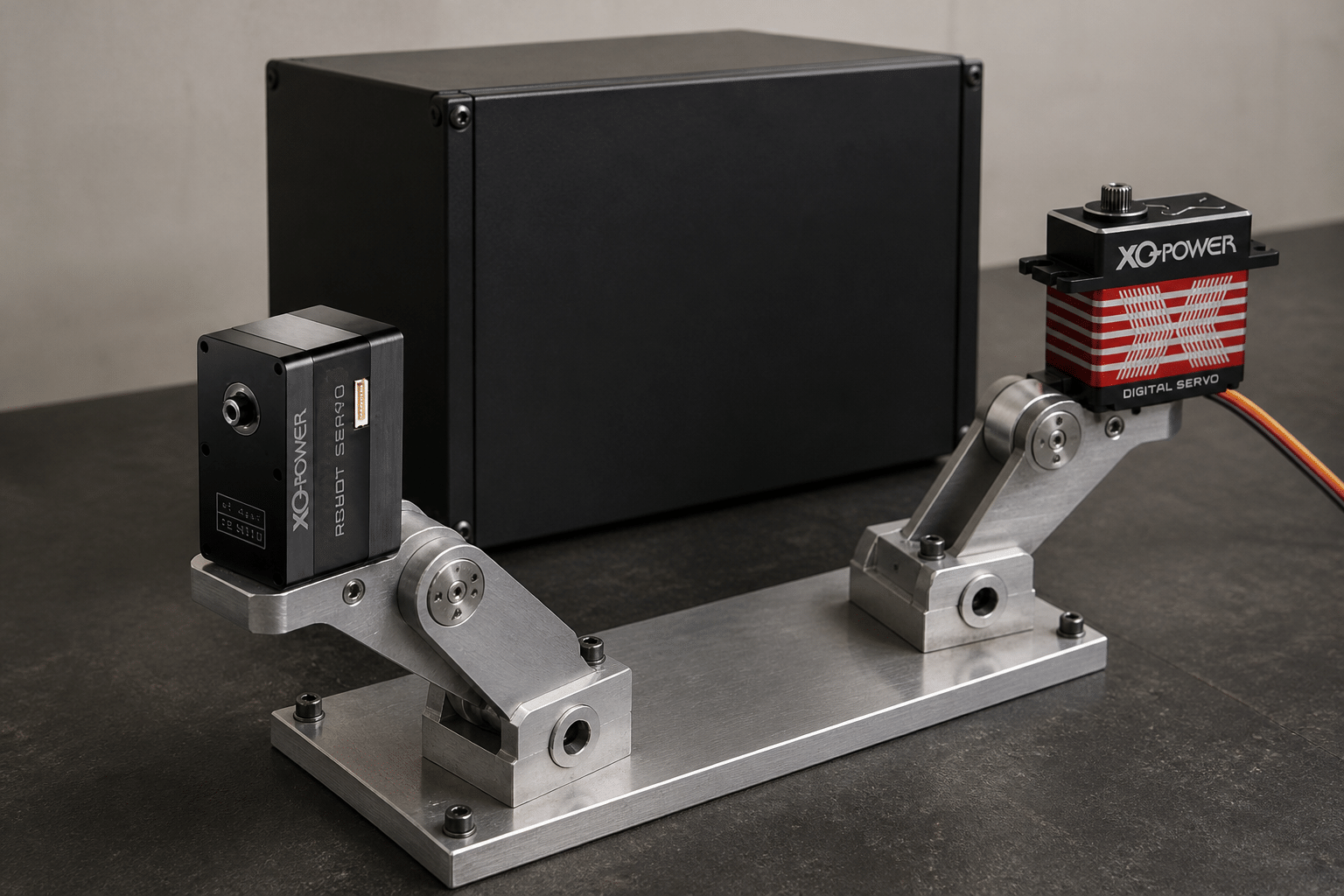
Do not disconnect power when the requirement is specifically about signal loss. Power interruption and communication interruption are different test conditions. Do not test an unconfirmed release-torque or preset-position action on a loaded mechanism without appropriate guarding and an emergency-stop procedure.
The servo motor vibration guide also recommends checking the mounting, alignment, power supply, command signal, feedback configuration, and controller settings as a complete system. These checks are relevant when a timeout test produces unexpected movement or oscillation.
Questions to send with an XQ-POWER inquiry
When requesting technical confirmation, provide:
- Application: UAV, AGV, robotic arm, robot joint, valve, or other mechanism
- Servo model and quantity
- Interface: PWM, RS485, CAN, or specified variant
- Desired timeout response
- Load torque, holding condition, and movement range
- Supply voltage and controller details
- Required alarm or error-state behavior
- Recovery behavior after communication resumes
- Sample test conditions and acceptance criteria
This information allows the product and engineering teams to distinguish a standard last-position-hold requirement from a model-specific protocol customization or OEM/ODM request.
Servo Communication Timeout FAQ
Servo communication timeout protection defines the action taken when the servo remains powered but does not receive valid control communication within the applicable monitoring condition. Possible system requirements may include holding the last position, moving to a defined position, releasing torque, stopping output, or setting an alarm. The available action depends on the exact model and protocol.
According to the engineering information supplied for this article, XQ-POWER servos normally hold the position from the last valid command when the control signal is interrupted and power remains available. Verify the behavior on the exact model, interface, firmware, and operating mode before using it as a safety requirement.
Release-torque behavior should not be assumed for every XQ-POWER servo. It is a possible application requirement that needs confirmation from the engineering team for the selected model and protocol. The mechanical load and safety consequences must also be evaluated before testing.
A preset-position response is not a universal capability that can be inferred from a digital, RS485, or CAN interface. Confirm whether the selected model supports it, how it is configured, and what happens when communication resumes. The supplied engineering information specifically recommends engineering confirmation for such requirements.
The supplied XQ-POWER engineering information states that the XQ-S9100D uses XQ’s proprietary RS485 protocol and can support different communication-timeout states. The public product category does not provide the complete state list, timing range, command format, or recovery behavior. Request the model-specific protocol and engineering confirmation before putting this capability into a production or safety specification.
No assumption should be made that they are the same. PWM, RS485, and CAN use different communication architectures, and the definition of a missing or invalid command depends on the electronics, firmware, controller, and protocol. Confirm the exact response for the selected servo variant and test signal loss separately from power loss.
Need help specifying servo timeout protection?
Share the servo model, interface, desired timeout action, load condition, supply voltage, controller, and recovery requirement with the XQ-POWER engineering team. The team can confirm the applicable model behavior and discuss standard or OEM/ODM requirements. For digital servo integration background, visit the XQ-POWER Technical Guide.