
XQ-POWER servos are available in different control configurations, so compatibility must be checked by model and variant. The published product pages provide examples of PWM control, RS485 command-bus control, Modbus RS485, and product-family variants that reference CAN or TTL interfaces.
An ordinary microcontroller can control a PWM servo when it can generate the required pulse signal and the complete system satisfies the servo’s signal, power, grounding, and load requirements. A microcontroller can also control an RS485 or CAN servo, but it needs the correct transceiver, bus wiring, protocol implementation, node addressing, timing, and fault handling. In those cases, “the microcontroller has a digital output” is not enough to establish compatibility.
The first selection rule is simple: identify the exact product variant and interface before designing the controller or wiring. The control interface, voltage, pulse conditions, communication protocol, timeout behavior, and feedback functions can differ between models in the same torque family.
Which control-signal types appear in XQ-POWER product information?
The accessible XQ-POWER product pages provide the following model-specific examples:
| Model or product family | Published control information | What the controller must provide |
|---|---|---|
| S3240M | PWM; the page lists a 500–2500 μsec pulse-width range and a 3 μsec dead band | A compatible PWM output, suitable signal reference, correct power system, and mechanical limits matched to the model |
| RS460 | Modbus RS485 asynchronous serial bus; the page also lists position, speed, temperature, voltage, and current feedback | An RS485 transceiver, the documented Modbus implementation, addressing and timing, bus wiring, and application software |
| RS8125D | Product page identifies RS485 command-bus control | An RS485 transceiver and the exact model’s command protocol; the accessible page contains inconsistent voltage/speed fields, so the current datasheet must be used |
| S9450D | Product title/summary references PWM/CAN/485; the inspected configuration section specifies PWM command control | The selected variant’s documented interface; do not infer CAN or RS485 operation from a PWM inspection configuration |
| Other XQ-S, XQ-RS, XQ-BLS variants | Interface depends on the product variant; the product family includes digital, RS485, CAN, TTL serial, and Modbus models | Variant-specific electrical and protocol documentation before hardware or software integration |
This table is an interface-selection map, not a statement that every model supports every listed signal. The exact SKU, firmware, connector pinout, and protocol document remain the controlling references.
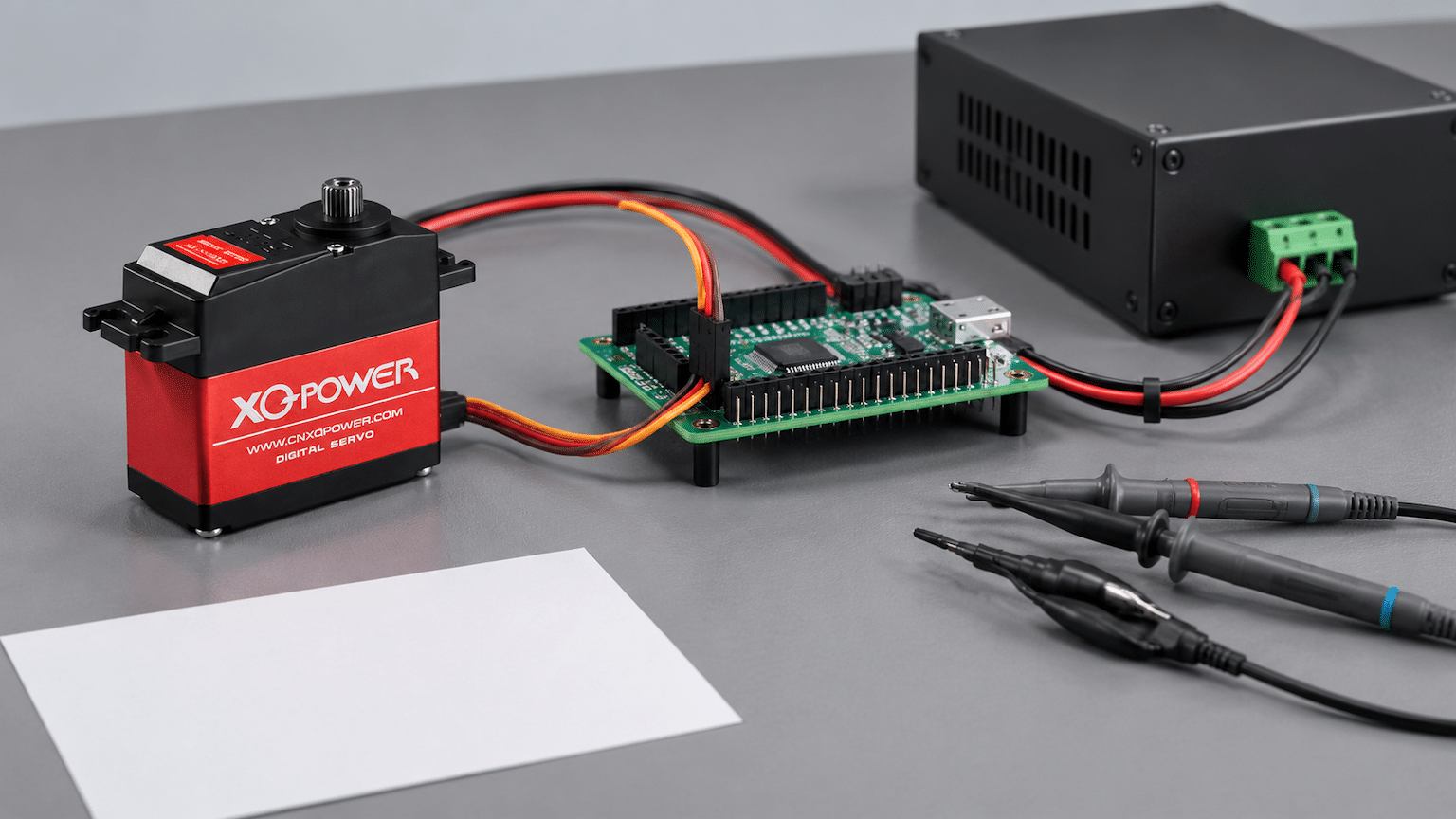
How does a PWM servo connect to a microcontroller?
A PWM servo receives a periodic control pulse. The pulse width represents the requested position or operating command according to the model’s documented signal mapping. The controller must generate the required waveform without exceeding the input’s electrical limits.
- The microcontroller generates a PWM pulse using a hardware timer or a suitable real-time peripheral.
- The signal is connected to the servo’s documented signal input.
- The servo power supply is sized separately from the microcontroller’s logic supply when required by the load.
- The controller and servo share the required signal reference or ground according to the wiring design.
- The firmware limits pulse commands to the documented range before the mechanism is connected.
- The integrator tests center, travel limits, current, temperature, and loss-of-signal behavior.
The phrase “standard PWM” does not remove the need to check the exact pulse-width range, repetition rate, input threshold, signal polarity, connector pinout, and allowable voltage. If a value is not published for the selected variant, request it from XQ-POWER engineering rather than importing a value from another servo.
What PWM information is published for the S3240M?
The S3240M product page identifies PWM digital control and lists:
- A pulse-width range of 500–2500 μsec
- A 180° wide travel range under the listed conditions
- A 3 μsec dead band
- A 6.0–7.4 V listed voltage range
- A 25T output spline
- A high-precision analog potentiometer for position feedback
The same page lists 40 kg·cm stall torque and 0.17 sec/60° at 7.4 V, and 35 kg·cm and 0.20 sec/60° at 6.0 V. Those figures describe the model’s listed performance points; they do not define the electrical output capability of every microcontroller or the safe mechanical limits of every installation.
For an S3240M integration, confirm the pulse timing and signal electrical conditions from the current datasheet. The microcontroller must not drive the servo directly from a pin if the servo power demand is being supplied through that pin. The signal line and the motor power path are separate design problems.
Can an ordinary microcontroller directly control a PWM servo?
Often, yes, if the microcontroller can generate the documented PWM signal and the wiring and power architecture are correct. No external motor driver is normally required for the servo motor itself because the servo contains its internal motor drive and position-control electronics. However, “no external motor driver” does not mean “no system design is required.”
Check the following before connecting a PWM servo:
- The microcontroller timer can generate the required pulse width and update rate.
- The output logic level satisfies the servo input requirement.
- The signal reference and ground arrangement are correct.
- The servo has a separate supply capable of handling its running and transient current.
- The supply voltage is inside the selected model’s documented range.
- The connector pinout is confirmed before power is applied.
- Startup behavior cannot command an unexpected travel movement.
- The firmware limits position commands and implements a safe initial state.
- The servo and controller are protected from reverse polarity, wiring faults, and uncontrolled resets.
A microcontroller board may be able to generate PWM while still being unsuitable as the servo’s power source. A small development board’s 5 V rail or USB supply should not be assumed to power a high-torque actuator.
Does PWM compatibility mean every flight controller is compatible?
No. A flight controller may provide a servo output, but the output’s pulse range, update behavior, signal level, failsafe state, power distribution, and connector arrangement must match the selected servo and airframe system.
For a UAV or RC helicopter, check:
- Flight-controller output mode and pulse-width configuration
- Receiver and flight-controller failsafe behavior
- Servo supply voltage under simultaneous movement
- Common ground and wiring length
- Startup sequence and neutral position
- Travel limits and mechanical stops
- Response under aerodynamic or linkage load
- Signal behavior during controller reset or radio-link loss
A PWM signal that looks correct on an oscilloscope can still produce an unsafe system if the servo supply collapses, the linkage binds, or the controller sends an unintended startup pulse.
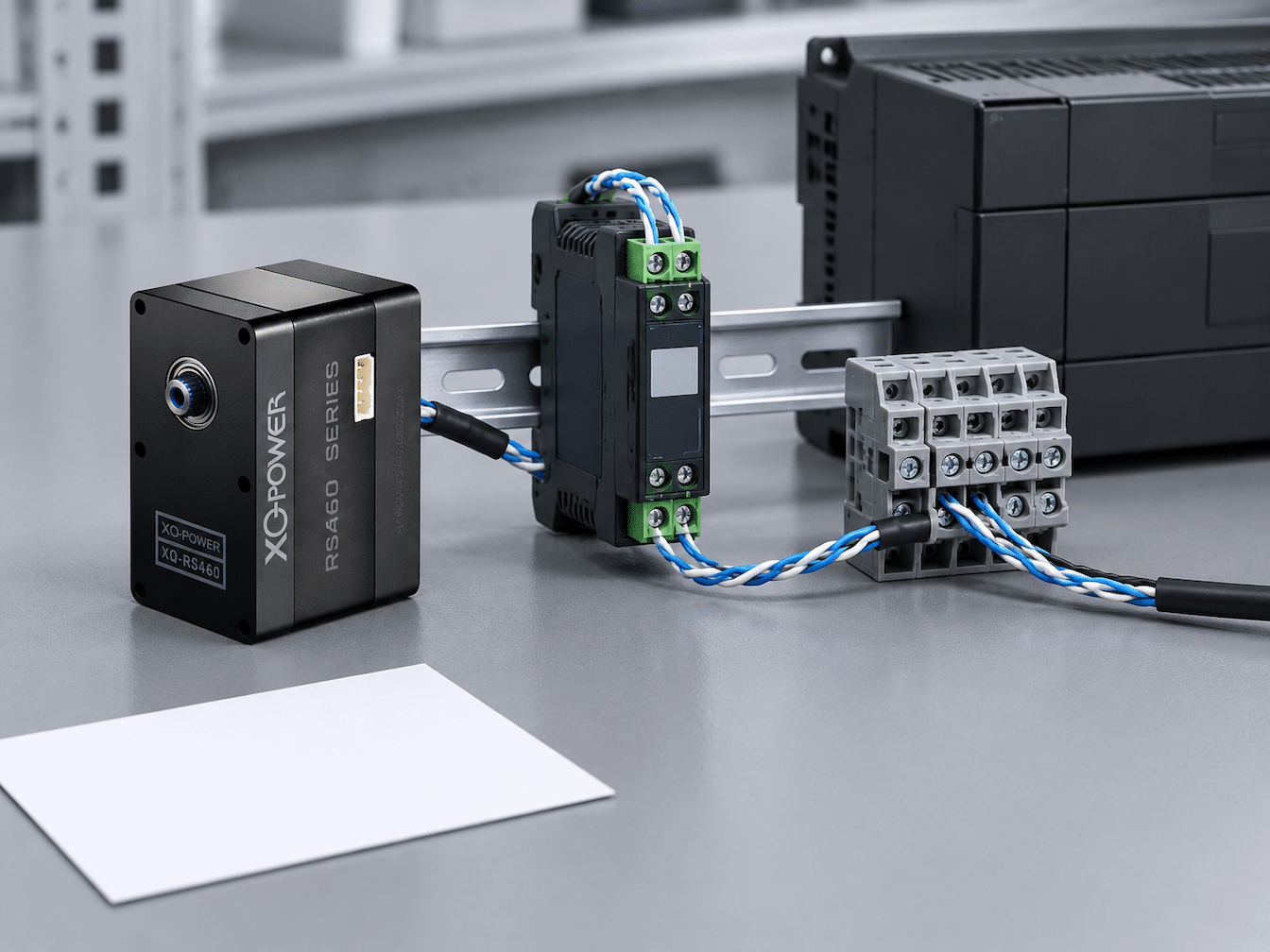
How does an RS485 servo differ from a PWM servo?
RS485 is an electrical differential communication layer. It does not by itself define the complete servo command language. The controller must use the protocol specified for the exact servo, such as the Modbus implementation identified on the RS460 product page or another documented command protocol.
An RS485 integration normally requires:
- A compatible RS485 transceiver
- Differential A/B wiring according to the product documentation
- Correct signal reference and power wiring
- Node address and command-frame handling
- Transmit/receive direction control where required
- Baud rate, parity, stop-bit, and timing settings from the protocol documentation
- Bus topology, cable, shielding, and termination decisions
- Response-time and timeout handling
- CRC or frame-validation handling where specified
- Safe behavior when a node stops responding
Do not connect a single-ended PWM pin directly to an RS485 differential pair. The microcontroller needs the appropriate physical-layer transceiver and software stack.
What is confirmed for the RS460?
The RS460 Modbus smart robot servo page identifies Modbus RS485 asynchronous serial control. It also lists:
- Native 12 V input in the product information
- 58 kg·cm torque at 12 V
- 360° continuous absolute position control
- 12-bit resolution in the product table
- Servo position mode, DC gear motor mode, and constant-torque mode
- Position, temperature, speed, voltage, and current feedback
- Up to 254 daisy-chained units in the product description
These published functions make the RS460 different from a simple PWM servo. The controller software must implement the documented command and feedback exchange. The product page does not replace the RS460 manual, and the exact wiring, frame, address, and timing parameters should be taken from the current manual for the selected unit.
If the application only has a PWM output, an RS460 is not automatically compatible. A protocol bridge or a controller with the appropriate RS485 capability may be required, subject to the documented interface and application design.
What is confirmed for the RS8125D?
The RS8125D product page identifies RS485 command-bus control and lists a 25 kg·cm class product with a 0.07 sec/60° speed point. However, the accessible page contains inconsistent voltage and speed fields in different sections, including a description that references 6.0–8.4 V and a table that references 12.0–24 V and 24 V for speed.
For that reason, do not copy a voltage range, speed condition, or electrical interface assumption from the page into a production design without checking the current RS8125D datasheet and exact variant. The article uses RS8125D as an RS485 interface example, not as a substitute for model-specific electrical documentation.
How should CAN and TTL variants be selected?
The XQ-POWER product family includes pages and variants that reference CAN and TTL serial interfaces. The S9450D page summary references PWM/CAN/485, while the inspected S9450D configuration section specifies PWM command control. This difference shows why the product family name or category is not enough to choose a controller.
Before selecting a CAN or TTL variant, confirm:
- The exact SKU and communication interface
- Physical-layer requirements and transceiver type
- Bus speed and frame format
- Node identifiers and command mapping
- Termination and topology requirements
- Power and signal reference arrangement
- Feedback and status messages
- Error handling, timeout, and recovery behavior
- Firmware or protocol version
A microcontroller with a CAN peripheral still needs a compatible CAN transceiver, correct bus wiring, and the servo’s documented frame protocol. A TTL serial UART is not the same as RS485 and should not be connected to an RS485 bus without the appropriate physical-layer hardware.
Does a microcontroller need an external driver module?
For a PWM servo with an integrated controller and motor driver, an external motor-driver module is generally not the same requirement as a PWM signal generator. The servo’s internal electronics perform commutation, position feedback, and motor drive. The external controller supplies the command signal and power architecture.
For RS485, CAN, or TTL models, the controller may need an external transceiver or interface circuit because the microcontroller’s native pins may not implement the required physical layer. That transceiver is a communication interface, not a replacement for the servo’s internal motor driver.
| Servo interface | Microcontroller-side requirement | What must not be assumed |
|---|---|---|
| PWM | Timer/PWM output, compatible signal level, correct ground/reference, separate servo power | That the MCU power rail can supply the servo motor current |
| RS485 | UART or serial peripheral plus RS485 transceiver and protocol software | That a single-ended UART pin can connect directly to the differential bus |
| Modbus RS485 | RS485 transceiver plus Modbus implementation and model-specific register/command map | That every RS485 servo uses the same register map |
| CAN | CAN controller/peripheral plus CAN transceiver and model-specific frame definitions | That a CAN-capable MCU alone provides a complete servo interface |
| TTL serial | Compatible UART electrical level and exact serial protocol | That TTL, RS485, and CAN wiring are interchangeable |
The external interface must be selected according to the servo documentation and the controller’s electrical limits.
What should be checked at power-up?
Power-up is a common source of unexpected servo movement. The controller should define the signal state before the servo is energized or should use a startup sequence that prevents an uncontrolled command.
- Servo power applied with the signal disconnected
- Controller reset while servo power remains on
- Servo reset while the controller continues transmitting
- Invalid PWM pulse or malformed bus frame
- Communication timeout or bus disconnection
- Loss and restoration of the common reference
- Low-voltage or brownout behavior
- Mechanical load connected and disconnected
- Return to a valid command after a fault
The expected response must be specified for the exact model. The communication-timeout guide explains why last-position hold, preset-position movement, torque release, and alarm states should not be treated as universal features.
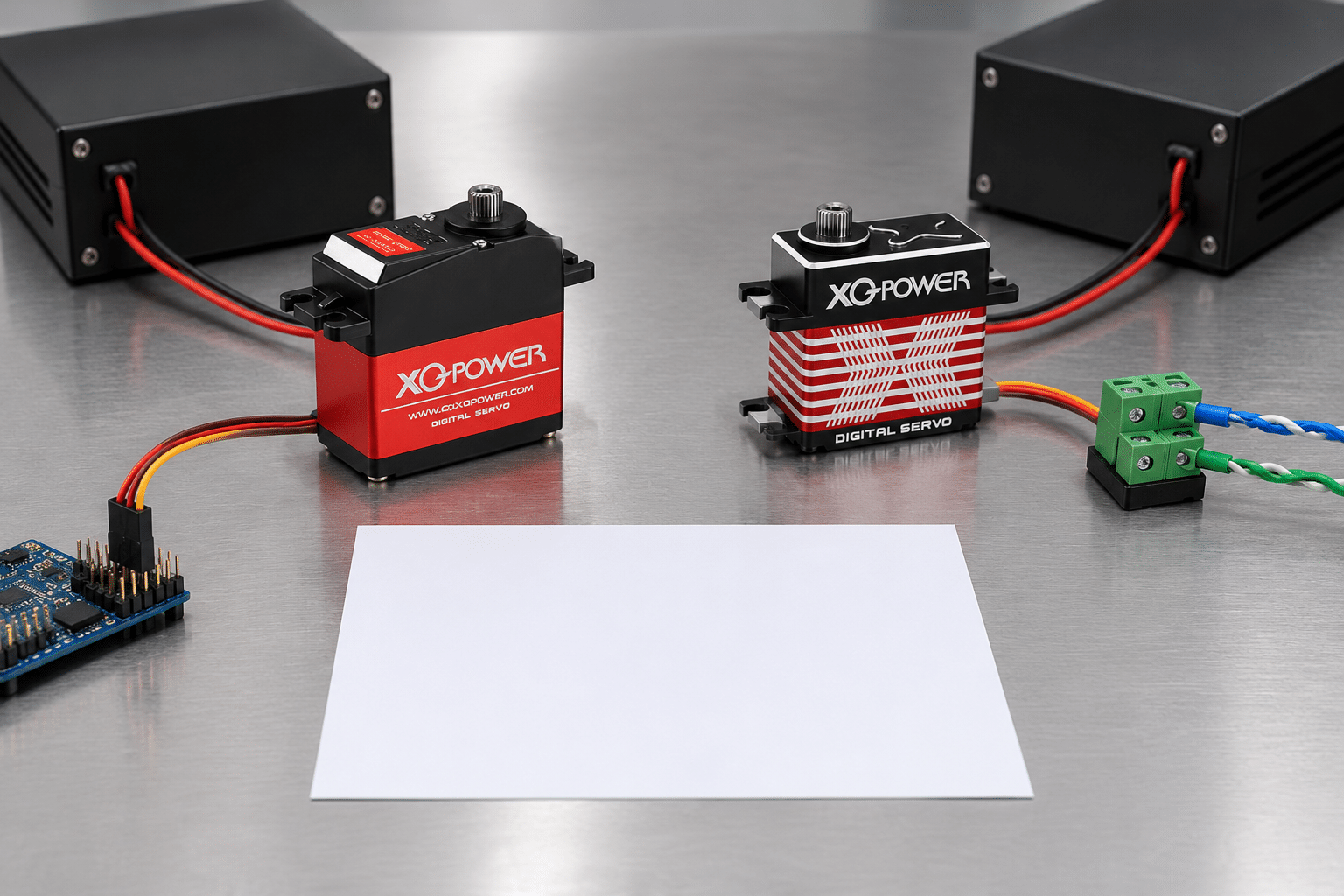
How should signal loss be tested?
Test signal loss separately from power loss. A PWM signal interruption, an RS485 cable disconnect, a CAN bus fault, and a complete power interruption are different events.
A controlled test should record:
- Exact model, variant, firmware, and interface
- Command signal and normal update condition
- Supply voltage at the servo terminals
- Mechanical load, position, and travel limits
- Method and timing of signal interruption
- Output movement and holding behavior
- Current, temperature, and any status or error response
- Recovery behavior after valid control returns
- Whether the mechanism remains within the safe envelope
Use a guarded fixture for any test that could release torque or move a loaded mechanism. The requirement should be accepted only after the observed behavior matches the application’s safety strategy.
How can an integrator reduce compatibility risk?
Use a model-specific interface checklist before ordering production hardware:
- Record the exact model and variant suffix.
- Identify PWM, RS485, Modbus, CAN, TTL, or another interface from the dedicated specification.
- Record all published signal parameters and mark unpublished fields for engineering confirmation.
- Match the microcontroller peripheral and transceiver to the physical interface.
- Separate logic wiring from servo power wiring and size the supply for motion transients.
- Confirm the connector pinout, common reference, polarity, and shielding arrangement.
- Implement command limits, startup state, timeout handling, and recovery behavior.
- Test no-load, representative-load, voltage-drop, reset, and signal-loss cases.
- Confirm the actual mechanical travel, torque, temperature, and response under the complete system.
- Freeze the approved firmware, protocol version, and servo variant before production.
This process reduces the risk of treating a signal label as a complete compatibility specification.
Direct answer for common microcontroller projects
XQ-POWER PWM servos can often be integrated with ordinary microcontrollers or flight controllers when the controller generates the correct documented PWM signal and the power, ground, connector, startup, and mechanical conditions are correct. The S3240M is a published PWM example with a 500–2500 μsec pulse-width range and a 3 μsec dead band.
RS485 and Modbus models such as the RS460 and RS8125D require the appropriate differential transceiver and model-specific protocol. CAN and TTL variants require their corresponding physical-layer hardware and protocol information. A controller’s ability to produce a digital signal does not make it automatically compatible with every XQ-POWER servo.
Choose the exact interface first, then design the controller, power system, firmware, wiring, and safety tests around the selected model.
It can often control a PWM model when it can generate the documented pulse signal and the signal level, ground reference, servo supply, connector, startup behavior, and mechanical limits are correct. The MCU should provide the command signal; it should not be assumed to power a high-torque servo from its logic rail.
The S3240M product page lists PWM control, a 500–2500 μsec pulse-width range, a 3 μsec dead band, and 180° wide travel under the listed conditions. Confirm the current datasheet and electrical input conditions before production integration.
No. An RS485 servo requires the appropriate RS485 physical-layer transceiver and the exact model’s command protocol. A single-ended PWM or UART pin should not be connected directly to an RS485 differential pair.
The servo normally contains its own motor drive and position-control electronics. The controller may still need an RS485 transceiver and protocol software. That communication interface is different from an external motor-driver module.
Not automatically. The exact servo variant, CAN transceiver, bus wiring, frame definitions, node identifiers, termination, timing, feedback, and fault behavior must match. Confirm the model-specific protocol before connecting the bus.
Models in the same torque family may use different interfaces or protocol variants. For example, the S9450D product summary references PWM/CAN/485, while the inspected S9450D configuration specifies PWM command control. The selected SKU and dedicated specification determine the valid interface.
Test the signal waveform or bus frames, power voltage at the servo, startup and reset behavior, no-load and representative-load motion, signal loss, recovery, current, temperature, and mechanical travel. Confirm the observed behavior against the selected model’s documentation and application safety requirements.
Need help selecting a control interface?
Send the exact servo model, controller or flight-controller platform, desired signal type, supply voltage, load, travel, duty cycle, and communication requirements to the XQ-POWER engineering team. For model-specific integration guidance, also review the XQ-POWER Technical Guide.